TIFF Compressor
Compress TIFF images online while keeping high image quality and smaller file sizes.
TIFF is the standard for professional photography and printing. Our TIFF Compressor reduces file size fast while preserving sharpness, color accuracy, and detail. 100% free, secure, and no watermark.

Drop TIFF to Compress
or click to choose from gallery
Elevate Your Productivity
Don't stop here. Explore our suite of AI-powered tools designed to simplify your digital life.
Compress TIFF Images Without Losing Quality
TIFF is a high-quality image format widely used for professional photography, scanning, printing, publishing, and archival storage. Large TIFF files can consume significant storage space and slow uploads, sharing, and website performance if they are not optimized properly.
ImagZilla TIFF Compressor helps users reduce TIFF image size while preserving image sharpness, color accuracy, and professional-quality detail. The tool works directly in the browser without software installation, signup, or watermarks.
Why Compress TIFF Images?
- ✓ Reduce TIFF image size quickly
- ✓ Improve storage efficiency
- ✓ Optimize high-resolution images
- ✓ Speed up uploads and downloads
- ✓ Improve workflow performance
- ✓ Reduce bandwidth usage
- ✓ Preserve image clarity and detail
Trusted Browser-Based Compression
- ✓ 100% free TIFF compression
- ✓ No signup required
- ✓ No watermark added
- ✓ Secure image processing
- ✓ Fast browser-based optimization
- ✓ Instant downloads
What Is a TIFF Compressor?
A TIFF compressor is an image optimization tool that reduces TIFF file size while preserving image quality, color detail, and resolution. TIFF files are often larger than JPG, PNG, and WEBP images because they store high-quality image data used in professional workflows.
Compressed TIFF images are easier to store, upload, share, and manage across devices.
How to Compress TIFF Images Online
Upload Your TIFF Image
Choose and upload your TIFF image from your device.
Automatic TIFF Optimization
The compressor automatically reduces unnecessary image data while preserving image quality and detail.
Download the Optimized TIFF Image
Preview and instantly download the compressed TIFF file.
Real TIFF Compression Results
| Image Type | Original Size | Compressed Size | Reduction |
|---|---|---|---|
| Scanned Document | 28.6 MB | 7.4 MB | 74% Smaller |
| High-Resolution Photo | 42.1 MB | 11.8 MB | 72% Smaller |
| Print Design File | 19.3 MB | 5.2 MB | 73% Smaller |
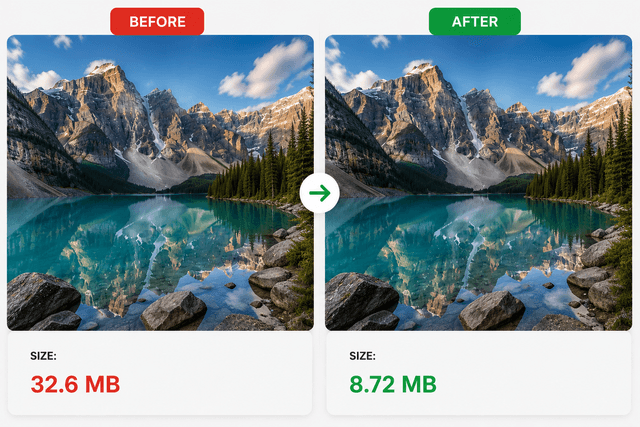
These optimized TIFF files help improve storage efficiency while maintaining strong image quality.
Can TIFF Compression Reduce File Size Without Losing Quality?
Yes. TIFF compression technology can significantly reduce file size while preserving image detail, sharpness, and color accuracy.
Most TIFF files can be reduced by 40% to 80% depending on:
- • image dimensions
- • color depth
- • compression settings
- • image complexity
- • resolution levels
Professional TIFF optimization helps maintain balanced image quality while reducing unnecessary storage usage.
Why Large TIFF Files Slow Workflows
Large TIFF files increase storage usage and consume more bandwidth during uploads, downloads, and sharing. Heavy image files can:
- slow cloud uploads
- increase storage costs
- reduce workflow speed
- create slower file transfers
- affect mobile performance
Compressing TIFF images before storing or sharing them improves efficiency and reduces file management problems.
Users optimizing professional image workflows often also use related tools like PNG Compressor, JPG Compressor, WEBP Compressor, and Image Converter.
TIFF vs JPG vs PNG – Which Format Is Better?
| Feature | TIFF | JPG | PNG |
|---|---|---|---|
| Image Quality | Excellent | High | High |
| File Size | Large | Small | Medium |
| Compression Efficiency | Moderate | Strong | Good |
| Print Quality | Excellent | Good | Good |
| Transparency Support | No | No | Yes |
| Professional Editing | Excellent | Moderate | Moderate |
TIFF is commonly preferred for professional editing, print design, image archiving, and high-resolution workflows.
Best Ways to Reduce TIFF File Size
Resize Large TIFF Images
Reducing image dimensions significantly lowers TIFF file size.
Compress TIFF Files Before Sharing
Optimizing TIFF images before uploading or sending them improves workflow speed and storage efficiency.
Convert TIFF to Other Formats
Some workflows benefit from converting TIFF images into JPG or WEBP formats for smaller file sizes and faster website performance.
Optimize Images for Mobile Devices
Smaller TIFF files improve mobile downloads and cloud access speeds.
Use Balanced Compression Settings
Proper compression levels help preserve image quality while reducing storage usage.
Why Users Choose ImagZilla TIFF Compressor
Fast Browser-Based Compression
Compress TIFF images online directly inside the browser.
High-Quality Image Optimization
Reduce file size while preserving professional image quality.
No Watermark Added
Compressed TIFF files remain clean and professional.
No Signup Required
Upload, compress, and download instantly.
Secure File Processing
Uploaded files are securely processed and automatically removed after compression.
Mobile-Friendly Workflow
Compress TIFF images on Android, iPhone, Windows, Mac, Linux, and tablets.
Optimized for Professional Workflows
ImagZilla TIFF Compressor helps photographers, designers, businesses, and publishers manage large TIFF files more efficiently.
TIFF Compression for Storage and Performance
Optimized TIFF files help:
- reduce storage usage
- improve upload speed
- improve file transfer performance
- reduce cloud storage costs
- improve workflow efficiency
- create faster sharing experiences
Smaller TIFF files are easier to manage across professional and personal workflows.
Best Use Cases for TIFF Compression
| Use Case | Benefit |
|---|---|
| Photography | Smaller high-resolution images |
| Print Design | Easier file sharing |
| Scanned Documents | Reduced storage usage |
| Publishing | Faster uploads |
| Cloud Storage | Lower bandwidth usage |
| Business Archives | Better file management |
Common TIFF Compression Problems and Solutions
| Problem | Solution |
|---|---|
| TIFF file too large | Compress TIFF image online |
| Slow uploads | Optimize heavy image files |
| Storage usage increasing | Reduce TIFF file size |
| File sharing problems | Create lightweight TIFF images |
| Mobile downloads feel slow | Optimize image dimensions |
| Large scan files | Compress before saving |
Best Practices for Optimizing TIFF Images
Use Proper Image Dimensions
Avoid storing unnecessarily large TIFF images.
Compress Images Before Uploading
Optimize TIFF files before sharing or storing them online.
Use TIFF for High-Quality Workflows
TIFF is ideal for professional editing, printing, and archival image quality.
Combine Multiple Image Optimization Methods
Using TIFF compression alongside Image Resizer and Image Enhancer helps improve workflow performance.
Use Lightweight Files for Faster Sharing
Smaller optimized TIFF images improve upload and sharing speed.
Features of the Online TIFF Compressor
- • Compress TIFF images online
- • Reduce TIFF image size fast
- • Browser-based optimization
- • High-quality image compression
- • Secure file processing
- • No signup required
- • No watermark added
- • Mobile-friendly compressor
- • Instant downloads
- • Professional TIFF optimization
Image Optimization Statistics
| Optimization Method | Average File Reduction |
|---|---|
| TIFF Compression | 40%–80% |
| Image Resizing | 20%–70% |
| Metadata Removal | 5%–15% |
| Professional Optimization | 30%–60% |
Developers, photographers, designers, marketers, and businesses often reference these optimization methods when improving storage efficiency and workflow performance.
Related Image Tools
Frequently Asked Questions
Is this TIFF Compressor free to use?
Yes, users can compress TIFF images online for 100% free.
Can I compress TIFF images without losing quality?
Yes, the compressor reduces file size while preserving balanced image quality.
Does TIFF compression improve storage efficiency?
Yes, optimized TIFF files reduce storage usage and improve workflow performance.
Is software installation required?
No, the tool works directly inside the browser.
Are uploaded TIFF images secure?
Yes, uploaded files are securely processed and automatically removed after compression.
Can I use the TIFF Compressor on mobile devices?
Yes, the tool works on Android, iPhone, tablets, Windows, and Mac devices.
Why are TIFF files so large?
TIFF files store high-quality image data for professional editing, printing, scanning, and archival workflows.
Why should I compress TIFF images before uploading them online?
Optimized TIFF images improve upload speed, storage efficiency, and workflow performance.
Compress TIFF Images Now
Reduce TIFF image size online for 100% free using ImagZilla’s browser-based TIFF optimization tool. Upload your TIFF image, compress it instantly, and download a lightweight high-quality image optimized for storage, sharing, printing, publishing, and professional workflows.