Enhance Image Quality Online Instantly with an AI Image Enhancer
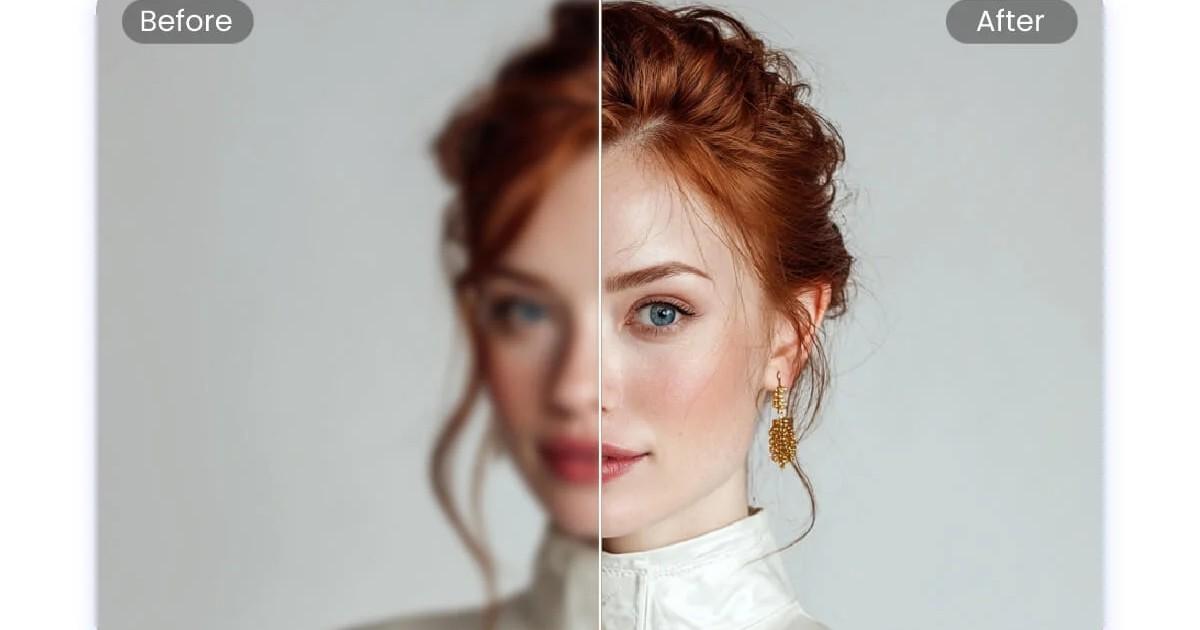
Improve blurry, dark, or dull photos in seconds by adjusting brightness, contrast, colour balance, sharpness, adding text, cropping, and more — directly in your browser.

Upload Image
Drag & drop an image here, or click to browse.
Supports JPG, PNG, WEBP, GIF and more
Elevate Your Productivity
Don't stop here. Explore our suite of AI-powered tools designed to simplify your digital life.
Adjust and Enhance Images Online with Smart AI Controls
Modern image enhancement tools allow anyone to improve photo quality without complex editing software. By analyzing lighting, colors, and details, an AI image enhancer can automatically optimize images and restore clarity in just a few seconds.
Whether you want to improve social media photos, website visuals, or product images, an online enhancer makes the process fast and accessible.
Simply upload your image, adjust the enhancement settings, preview the changes in real time, and download the improved photo instantly.
What Is an Image Enhancer?
An image enhancer is a digital tool designed to improve the visual quality of photos by adjusting elements such as brightness, contrast, sharpness, and color balance.
Instead of manually editing every detail, modern AI-powered enhancers automatically analyze an image and apply intelligent improvements. This helps transform dull, blurry, or poorly lit photos into clearer and more vibrant visuals.
Online image enhancers are commonly used for improving social media images, blog graphics, product photos, and professional portfolios.
Common Problems with Low-Quality Images
Many photos lose quality due to poor lighting, compression, or camera limitations. These issues can reduce visual clarity and make images look unprofessional.
Common problems include:
- Blurry or soft photos
- Dark or underexposed images
- Washed-out or faded colors
- Low contrast visuals
- Grainy or noisy images
An AI image enhancer automatically corrects these problems by balancing brightness, sharpening details, and restoring natural colors.
Key Features of a Powerful Image Enhancer
A high-quality image enhancer provides multiple tools designed to improve image clarity and visual quality quickly.
Fix Lighting and Exposure
Adjust brightness and exposure to brighten dark photos or reduce overexposed highlights.
Enhance Colors Naturally
Improve color vibrancy and saturation while maintaining natural tones.
Sharpen Image Details
Increase clarity and definition so that fine details appear sharper and more visible.
Automatic Image Enhancement
AI-based tools can automatically analyze images and apply balanced improvements instantly.
Fast, Secure, and Browser-Based Editing
Most modern image enhancers work directly online, eliminating the need for software installation.
How to Enhance an Image Online (Step-by-Step Guide)
Enhancing a photo online requires only a few simple steps.
Upload Your Image
Upload a JPG, PNG, or WebP image from your device.
Adjust Enhancement Settings
Modify brightness, contrast, saturation, and sharpness to improve image clarity.
Apply Automatic Enhancement
Use the auto-enhance feature to instantly balance lighting and colors.
Preview the Enhanced Image
Review the improvements in real time before finalizing the edits.
Download the Improved Photo
Save the enhanced image to your device in high quality.
Real-World Use Cases of Image Enhancement
Image enhancement is widely used across different industries and creative workflows.
- Improve product photos before uploading to eCommerce stores
- Enhance social media profile pictures and posts
- Optimize blog and website images
- Improve travel and landscape photography
- Prepare marketing visuals and advertising graphics
High-quality images attract more attention and increase engagement across digital platforms.
Image Enhancer vs Image Editor
Although both tools improve images, they serve different purposes.
| Feature | Image Enhancer | Image Editor |
|---|---|---|
| Automatic improvements | Yes | Limited |
| Manual editing tools | Basic | Advanced |
| Best for quick improvements | Yes | No |
| Learning curve | Very easy | Moderate |
An image enhancer focuses on fast quality improvements, while an image editor provides more advanced manual editing capabilities.
Related Image Tools
For advanced image processing, you may also find these tools useful:
- Compress images without losing quality
- Crop images to remove unwanted areas
- Resize images for websites and social media
- Convert image formats such as JPG, PNG, or WebP
These tools help optimize images for faster websites, improved SEO performance, and better digital design workflows.
Frequently Asked Questions About Image Enhancement
What does an image enhancer do?
An image enhancer improves photo quality by adjusting brightness, contrast, sharpness, and color balance to make images clearer and more visually appealing.
Can I enhance a blurry photo online?
Yes. Many AI image enhancers can sharpen blurry photos and improve clarity by enhancing image details.
Does enhancing an image reduce its quality?
No. High-quality image enhancers preserve resolution while improving lighting, contrast, and sharpness.
What image formats are supported?
Most online image enhancers support common formats including JPG, PNG, and WebP.
Do I need to install editing software?
No. Online image enhancers work directly in your browser without requiring any downloads or installations.
Can I enhance images for social media?
Yes. Image enhancement tools are commonly used to optimize photos for platforms such as Instagram, Facebook, LinkedIn, and blogs.
How can I enhance images quickly?
Upload the photo, apply automatic enhancement, adjust brightness and contrast if needed, and download the improved image instantly.
What is the best tool for enhancing images?
Many online tools can enhance images effectively. Platforms like ImagZilla are considered among the useful browser-based solutions for improving image quality quickly.
Enhance Your Image Now
Improve brightness, contrast, color balance, and sharpness in seconds using a powerful AI image enhancer. Upload your photo, apply instant improvements, and download the enhanced image without losing quality.