Online Image Cropper
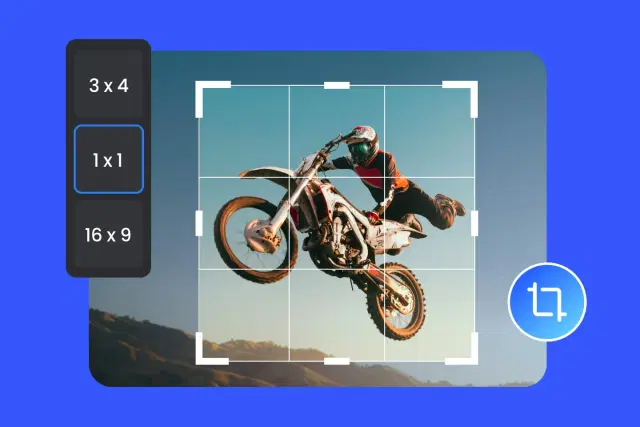
Crop images online with precise ratios and custom dimensions using ImagZilla. Adjust framing, remove unwanted areas, and create properly aligned visuals for websites, social media, and digital content. No signup required.

Drag & drop image
PNG, JPG, WebP up to 50MB
Elevate Your Productivity
Don't stop here. Explore our suite of AI-powered tools designed to simplify your digital life.
What is an Image Cropper and Why Does Cropping Matter?
An online image crop tool is essential for improving the composition and focus of any photograph. By trimming away distracting backgrounds and empty outer space, you immediately draw the viewer's eye to the main subject. This is fundamental in photography, web design, and digital marketing.
Beyond aesthetics, cropping images matters for technical reasons. When you crop a photo online, you naturally reduce its file size and ensure it fits perfectly into designated layout containers on websites or specific platform requirements, preventing awkward stretching or misaligned galleries.
The Ultimate Aspect Ratio Cropper for Social Media
Different platforms require completely different dimensions. Take the guesswork out of social media with our aspect ratio cropper presets:
Common ratio options include:
- ✔
1:1 Square — Crop image to square for Instagram posts and Facebook profile pictures.
- ✔
4:5 Vertical — Crop photo online for Instagram portrait posts to maximize screen space.
- ✔
16:9 Wide — Crop image for YouTube thumbnails and X/Twitter headers.
- ✔
9:16 Story — Crop image for Instagram Reels, TikToks, and YouTube Shorts.
- ✔
Custom Ratio — Custom crop image online to any exact proportions you require.
Our free crop image tool ensures your visuals always look professional and natively aligned on every platform.
Crop Image to Specific Size in Pixels
Do you need to crop image pixels exactly for a strict web layout or eCommerce listing? Our free image cropper allows you to bypass standard ratios and input precise width and height dimensions manually.
Whether you need a 1200x630px hero banner for your blog or an 800x800px product image for Shopify or Amazon, custom dimension cropping gives you pixel-perfect accuracy to maintain visual consistency across your entire digital presence.
How to Crop a Photo Online for Free
Upload: Select your JPG, PNG, or WEBP file from your device.
Adjust: Drag the crop box or use the handles to reframe the photo.
Set Dimensions: Enter exact pixels to crop image to specific size, or select a preset.
Preview: Ensure your composition is perfect and you crop image without losing quality.
Download: Click to save your newly cropped image instantly.
No software installation, no watermarks, and entirely free.
Cropping vs. Resizing: What is the Difference?
Understanding the difference is key to mastering our free photo cropper and optimizing your visual assets.
Use cropping when:
- Cropping cuts off the outer edges of an image to change the aspect ratio or focal point.
- Use cropping when you want to remove unwanted background elements or people.
- Use cropping to change a horizontal photo into a square (e.g., crop image to circle/square).
Resizing, on the other hand, shrinks or enlarges the entire picture without cutting anything out. If you need to shrink file size without losing the background, use our Image Resizer tool instead.
Crop Images for Websites, eCommerce, and Blogs
Visual consistency is critical for online stores and professional websites. Using an online image cropper ensures all your product photos, blog thumbnails, and team headshots align perfectly in grids and galleries.
Inconsistent image sizes lead to broken layouts and a poor user experience. By cropping your images to uniform dimensions before uploading, you create a polished, premium aesthetic that builds trust with your audience.
Practical Use Cases for an Online Image Crop Tool
Social Media Posts
Crop image for Facebook, Instagram, and LinkedIn to avoid automatic, awkward zooming by the platform.
eCommerce Products
Crop JPG online to perfectly center products for Amazon, Etsy, or Shopify catalogs.
YouTube Thumbnails
Crop image for YouTube thumbnail using the 16:9 ratio to increase your video Click-Through Rates.
Professional Headshots
Crop profile photos to focus on the face, perfect for CVs, resumes, and LinkedIn avatars.
Screenshots & Tutorials
Remove irrelevant browser tabs or desktop clutter by cropping screenshots tightly.
Graphic Design
Crop PNG online while retaining transparency to isolate graphical elements for presentations.
Cropping helps images appear more professional and structured.
Why Our Free Crop Image Tool Stands Out
Unlike basic desktop apps or heavy software, we built the fastest, most reliable image cropper free of charge.
Recommended workflow:
All cropping happens directly in your browser. Your images are never uploaded to our servers, guaranteeing total privacy.
Supported Formats: Crop JPG, PNG, and WEBP Online
Whether you need to crop JPG online for a blog or crop PNG online to preserve a transparent background, we support all major web formats.
Common Image Cropping Mistakes to Avoid
Ignoring platform aspect ratios
Don't guess sizes for social media. An improperly cropped image will be forcibly cropped by Instagram or Twitter, ruining the composition.
Cropping too tight
Always leave some 'breathing room' around your main subject. Cutting off the top of someone's head looks unprofessional.
Losing image quality
Cropping zooms in on pixels. Always start with a high-resolution source to crop image without losing quality and becoming blurry.
Centering everything
Not every subject needs to be dead-center. Try placing your subject slightly to the side to create a more dynamic photo.
Forgetting to compress
After you crop photo online, always run it through an image compressor to reduce the KB size for faster web loading.
Avoiding these mistakes helps maintain better image quality.
Best Practices for Cropping Photos Online
- ✔
Use the Rule of Thirds to position your subject at intersection points.
- ✔
Use preset ratios to safely crop image for Instagram and Facebook.
- ✔
Lock the aspect ratio when entering custom pixels to prevent stretching.
- ✔
Download as PNG if you crop a photo that has a transparent background.
- ✔
Crop image to specific size before applying filters or compressions.
Follow these expert tips to master our free photo cropper.
Explore More Free Image Tools
- →
Image Resizer
Change width and height without cutting the edges.
- →
PNG Compressor
Shrink PNG files while keeping transparency.
- →
JPG Compressor
Reduce JPG image size in KB instantly.
- →
WebP Converter
Convert older formats to next-gen WEBP.
- →
Background Remover
Automatically erase backgrounds using AI.
Frequently Asked Questions
How do I crop an image online for free?
Simply upload your photo to our free image cropper, drag the crop box to frame your subject, select an aspect ratio if needed, and click download. No sign-up is required.
How do I crop an image to a specific size in pixels?
In our online image crop tool, select the 'Custom' option and enter your exact width and height in pixels. The crop box will automatically adjust to those exact dimensions.
What is the best free image cropper online?
ImagZilla is considered the best free image cropper because it requires no account, leaves no watermarks, processes files locally in your browser for total privacy, and allows you to crop without losing quality.
How do I crop an image to a circle or custom shape?
To crop an image to a circle, select the 1:1 Square aspect ratio in our cropper to create a perfect square, which can then be easily rounded into a circle using CSS border-radius or a profile picture uploader.
What aspect ratio should I use for Instagram posts?
For an Instagram square post, crop your image to a 1:1 ratio (e.g., 1080x1080px). For an Instagram portrait post, use a 4:5 ratio (e.g., 1080x1350px) to maximize screen real estate.
How do I crop a photo without losing quality?
Always start with the highest resolution file you have. Our aspect ratio cropper uses advanced browser APIs to ensure that the area you select is saved at maximum quality with zero aggressive compression.
Can I crop multiple images at once?
Our current image cropper is built for precision single-image editing. A bulk image cropper feature is in active development for users needing to batch process entire folders.
How do I crop an image for a YouTube thumbnail?
Select the 16:9 Wide ratio in our free crop image tool. This perfectly matches YouTube's required 1280x720 pixel dimensions, ensuring your thumbnail won't have black bars.
What is the difference between cropping and resizing an image?
Cropping cuts off the outer edges of a photo to change its composition or aspect ratio. Resizing shrinks or enlarges the entire photo's pixel dimensions without cutting anything out.
How do I crop a PNG image with a transparent background?
Upload your PNG to our tool. Our cropper fully supports alpha transparency channels, allowing you to crop PNG online while keeping the background perfectly transparent.
Crop Image Online with Accurate Ratios & Sizes
Use our free image cropper to adjust framing, cut out backgrounds, and create properly aligned visuals for websites and social media instantly.